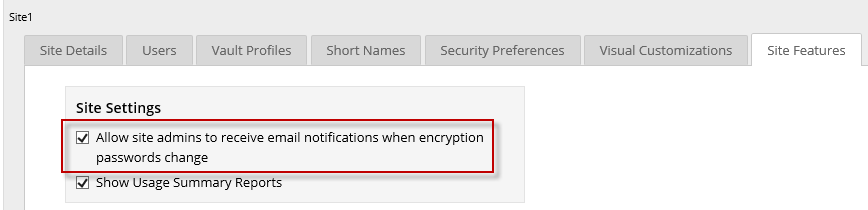
Allow Admin users to receive email notifications for encryption password changes
Super users can specify whether Admin users in a site can receive emails when job encryption passwords change in their site.
If encryption password change emails are allowed in a site, Admin users can choose whether they want to receive these notifications.
Email notifications for encryption password changes must also be configured in the Portal instance. For more information, see the Portal Installation and Configuration Guide.
To allow Admin users to receive email notifications for encryption password changes:
-
When signed in as a Super user, click Sites on the navigation bar.
The Sites page shows existing sites.
-
Find the site where you want Admin users to receive email notifications for encryption password changes.
-
Click the Site Features tab.
-
To allow Admin users to receive email notifications for encryption password changes, select the Allow site admins to receive email notifications when encryption passwords change option.