View a job’s process logs and safeset information
To determine whether a backup, restore or other process completed successfully, determine whether a safeset was flagged with a potential ransomware threat, or to determine why a process failed, you can view a job’s process logs.
Note: When you run an Exchange database restore with the Start Hard Recovery option selected, the process of restoring database files is recorded in the process logs. The process of replaying transaction logs into the database is recorded in the Windows Event Viewer.
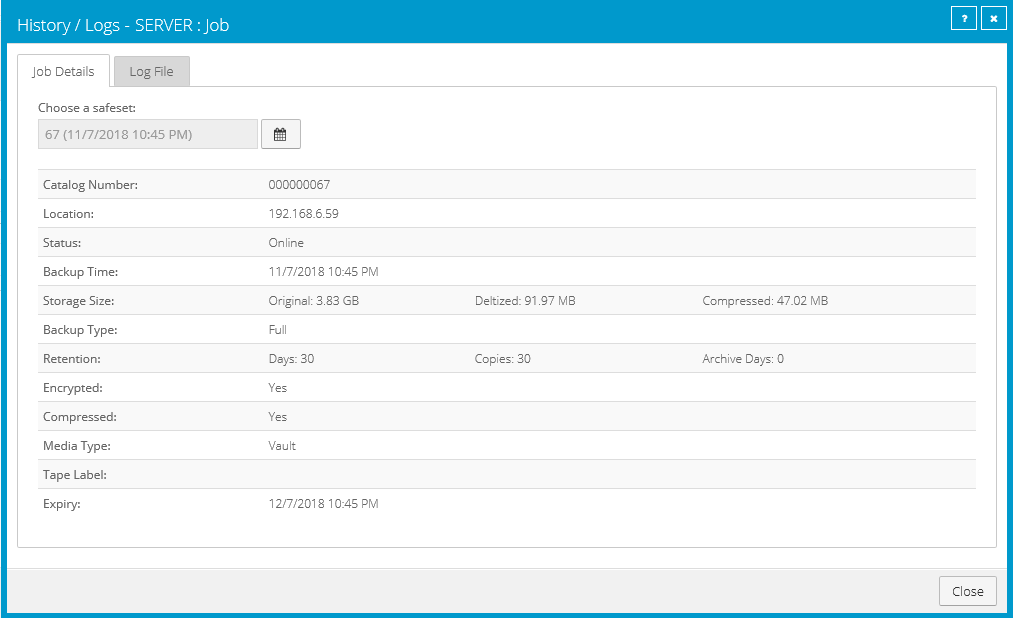
You can also view information about safesets created for the job. A safeset is an instance of backup data on the vault.
To view a job’s process logs and safeset information:
-
On the navigation bar, click Computers.
The Computers page shows registered computers.
-
Find the computer for which you want to view logs, and click the row to expand its view.
On the Jobs tab, the Last Backup Status column shows the status of each backup job.
-
To view log files for a job, do one of the following:
-
In the job’s Select Action menu, click History / Logs or Logs.
-
In the Last Backup Status column, click the job status.
The History / Logs or Logs window lists the most recent backups, restores and other processes on the computer.
-
-
To view processes for a different day, click the calendar button.
 In the calendar that appears, click the date of the log that you want to view.
 -
In the list of processes on the selected date, click the process for which you want to view the log.
The window shows the selected log.
-
To view safeset information for a particular backup, click the Job Details tab. The tab shows safeset information for the job’s most recent backup.
Note: The Job Details tab does not appear for a Hyper-V Agent.
To view information for a different safeset, click the calendar button.
 In the calendar that appears, click the date of the backup for which you want to view information. In the list of backups on the selected date, click the backup for which you want to view information. The tab shows safeset information for the selected backup.